Choose the trigger.
A confirmed appointment, an unanswered request, or a quote marked ready for follow-up starts the agreed process.
Follow-ups & reminders
A booking reminder. A quote to check on. A customer waiting for a reply. Give each one a clear next step.
Talk through your processIllustrative workflow. Messages, permissions, and stop rules are agreed for your business.
WHO IT HELPS
For appointment businesses and service teams handling requests across an inbox, calendar, or customer system.
HOW WE APPROACH IT
We map when a follow-up is useful, where its information comes from, and when a person should take over. The aim is a reliable routine your team can understand.
A confirmed appointment, an unanswered request, or a quote marked ready for follow-up starts the agreed process.
Use approved wording and the correct customer details. Agree who receives what, when it happens, and how the sequence stops.
Replies, cancellations, and delivery failures need a clear home. Pause automation when a person needs to step in.
THE RIGHT FIT
Many booking systems already include reminders. We start there. A connection or custom workflow is useful when the next step crosses more than one system.
SCOPE & COST
Scope depends on the triggers, channels, integrations, and exception handling. We agree setup, messaging costs, and ongoing support before building.
Separately scoped from the C$89 website plan.
RELATED WORK
Our booking software brings appointments and staff calendars into one product.
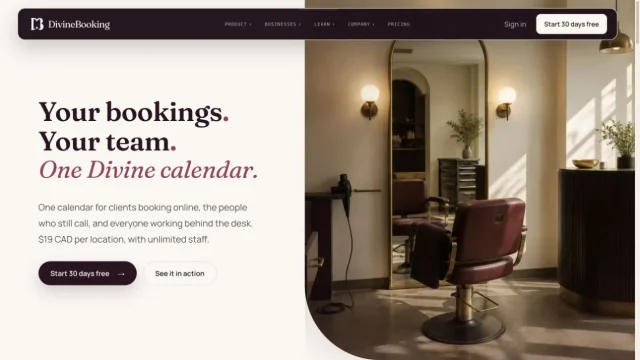 Software product + marketing siteDivineBookingInside the project
 A FEW USEFUL ANSWERS
Often it does not. A reliable rule and an approved template are usually enough for an appointment reminder. AI is considered only when the task benefits from interpreting information.
Yes. We can start with drafts or reminders for your team, then agree which messages may be sent automatically.
We define that before launch: where the reply lands, who handles it, and which reminders should stop. We test replies, changes, and failures as part of the workflow.
LET’S GET STARTED
Tell us about your business. We’ll take it from there.
Let’s talk